
Use another machine's GPU, or reach Plex on another machine
Lend the app another machine's GPU with a worker node, or run a Plex database node beside Plex on Linux or Windows for markers and loudness.
On this page
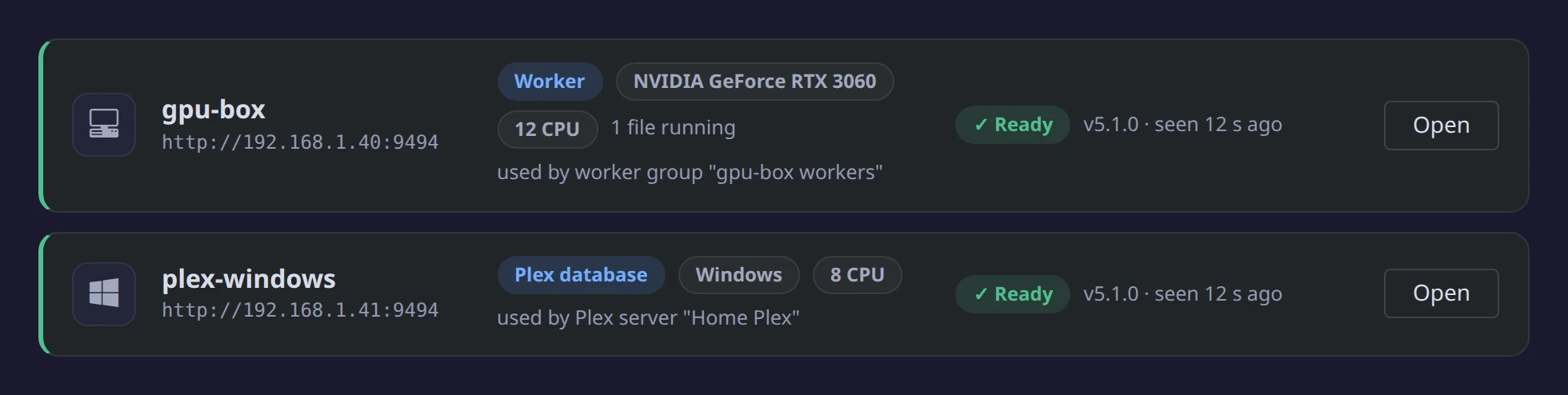
A node is another machine that helps the app. The app keeps the queue, the schedules, your server tokens and every write to your servers. A node runs the heavy step it is handed and sends the result back.
Do you need one?
You need a node if any of these is true:
- Your GPU is in a different machine from the app, or you have GPUs in more than one machine. Use a worker node.
- Plex runs on another machine and you want Intro & Credits markers, chapter thumbnails or loudness in it. Use a Plex database node. Previews alone don't need one: they only need Plex's config folder mounted.
- Plex is installed on Windows without Docker. Use a Plex database node for Windows. Docker Desktop can't open Plex's database safely through a Windows folder mount.
If the app runs on the same machine as the GPU and Plex, you don't need a node.
Two kinds of node
- Worker node: lends its GPU or CPU for previews, Intro & Credits detection and loudness. Run it on any machine that can read your media. It never gets a server token and writes nothing outside its own temp folder.
- Plex database node: runs on the machine Plex runs on and opens Plex's database there. It runs in Docker or natively on Windows.
One container on the Plex machine can be both.
Set up a worker node
-
On the other machine, start the app's image, the same tag as the app, with
MODE=node. Mount your media read-only and pass the GPU the same way you pass it to the app:docker run -d --name media-preview-node -p 9494:9494 \ -e MODE=node -e NODE_NAME=gpu-box -e PUID=1000 -e PGID=1000 \ --device /dev/dri:/dev/dri \ -v /path/to/media:/media:ro -v /path/to/node/config:/config \ stevezzau/media_preview_generator:latestFor NVIDIA, use
--gpus all -e NVIDIA_DRIVER_CAPABILITIES=allinstead of--device /dev/dri:/dev/dri. The node prints its key once indocker logs. - In the app, open Settings → Nodes → Add node. Enter a name, its address (
http://gpu-box:9494) and its key, then click Connect. - Click Next: where it sees your media. Map each library's folder to the folder the node sees, click Test access (it checks real files from each library), then click Save. You can change the mappings later on the node's Media tab.
- In Settings → Workers, add the node's GPU or CPU to a worker group. Its devices are listed under the node's name.
Update every worker node to the same tag whenever you update the app. Until then it says Update needed and gets no work.
Set up a Plex database node
- Plex in Docker, or on Linux, unRAID or a NAS: run the
ghcr.io/stevezau/plex-marker-agentimage beside Plex with Plex's config folder mounted. The compose file and settings name the current tag. - Plex installed on Windows: download
PlexDbNode-windows.zipfrom the newest Plex database node release on the Releases page. Unzip it and, signed in as the Windows user Plex runs as, runpowershell -ExecutionPolicy Bypass -File .\install.ps1. If Plex runs as a service or starts before anyone signs in, add-AtStartup(that user must be an administrator), plus-AddFirewallRulewhen the app is on another machine. With the app in Docker Desktop on the same PC, the node's address ishttp://host.docker.internal:9494. See the Windows node's README.
Then add it under Settings → Nodes, and pick it in Servers → your Plex → Edit → Connection → Plex database. A Plex marker agent from before nodes moves to the Nodes page on upgrade and keeps working.
More detail
The Remote nodes guide covers every node state, updating and removing nodes, one node with both roles, and running a node behind a reverse proxy. Environment variables are in the reference.
Edit this page on GitHub